Upflux
A neon score-attack arcade game about routing energy orbs into the reactor before time runs out.
- 1 Player
- Difficult
- Skill
- 2D
- Released
- Sep 12, 2025
- Genre
- 1 Player, Difficult, Skill, 2D
- Platform
- Web browser, Android
Also available on
- Upflux on Google Play Android, multiple conveyor layouts, expanded power-ups, and Google Play leaderboards
 Upflux
About Upflux
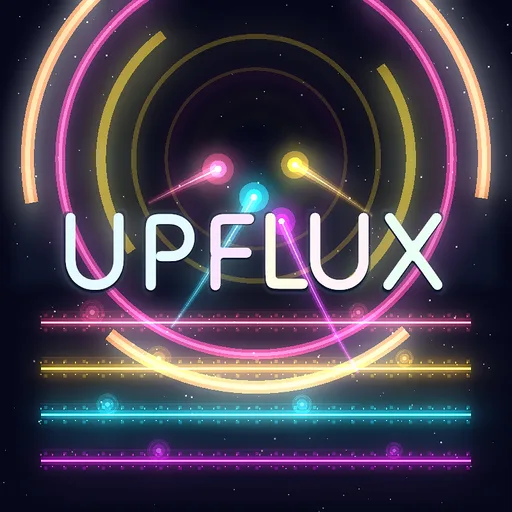
Upflux is a neon arcade challenge about timing, focus, and clean routing. The full conveyor stack stays on one screen. Tap an orb, tap above the conveyor one level higher to drop it there, and repeat until the orb reaches the reactor portal.
What starts simple turns into a high-pressure flow state quickly. More orbs appear, belts get faster, falling deliveries need saving, and reactor surges push the pace harder still. Power-ups briefly change the flow by slowing time, freezing or reversing belts, restoring energy, clearing the board, or pausing new spawns. The timing of each use matters as pressure rises.
It is the hardest of the three games on this site, and the one that punishes panic most.
Where to play
In your browser, Upflux is free to play with no download or account. You pick up and place orbs between belts, use six power-ups to control a surge, and keep a local high score on the device you are playing on. There is no global web leaderboard or cloud save.
On Android, Upflux is available from Funlit Games on Google Play. Tap an orb to lift it one level at a time, rescue it before it falls from the edge, and push it upward into the reactor portal. Different conveyor layouts change the available reaction space, while Slow Motion, Freeze, Reversal, Auto Lift, Energy Surge, Safety Net, Reactor Pulse, and other power-ups change the flow of a run. You earn credits as you play and spend them on those power-ups when the conveyor stack gets out of control.
The Android release also supports Google Play leaderboards. That service belongs to the native app; browser scores remain local and do not sync between devices or platforms.
Design notes
Upflux keeps every conveyor level visible on one portrait screen. An orb can be lifted one level at a time: select it, choose a landing point above the next belt, and read that belt’s direction before committing. The simple input keeps attention on timing, spacing, and the flow of the whole stack.
Each conveyor layout changes the available reaction space. Wide belts provide room to recover, while tighter arrangements demand earlier decisions. Faster belts, falling orbs, and reactor surges increase the pressure without changing the basic interaction.
Streaks reward quick, clean deliveries. A missed orb also removes a large chunk of reactor energy, so each rescue is a real tradeoff: save the orb when the route is clear, or accept one loss when chasing it would endanger several deliveries already lined up.
Strategy
Read the direction and speed of the next conveyor before lifting an orb. Drop it with enough room to travel safely, then prepare the next lift before it reaches the edge.
Build streaks from orbs that are already lined up for clean deliveries. Losing one orb is costly because it removes a large chunk of energy, but a desperate rescue can cost even more if several other orbs fall while your attention is elsewhere.
Save power-ups for crowded moments. The Android release includes Slow Motion, Freeze, Reversal, Auto Lift, Energy Surge, Safety Net, Reactor Pulse, and other effects that change the flow of a difficult sequence.
How the scoring actually works
Deliveries recharge the reactor and add to the score. Quick consecutive deliveries build a streak, making a prepared line of orbs especially valuable. Reactor energy also drains throughout the run, and a missed orb takes away a large additional amount.
Those systems create a situational choice. Saving a falling orb protects its energy and may preserve a streak. Letting it go can be the stronger play when a rescue would pull attention from several orbs that are already positioned for consecutive deliveries. Judge the whole screen before committing.
There is a full breakdown in the scoring guide, and a gentler on-ramp in the beginner’s guide.
Common mistakes
- Watching one orb for too long. Check the rest of the stack before making a rescue.
- Dropping too close to an edge. Leave enough belt for the next lift.
- Ignoring a missed orb. Each loss removes a large chunk of reactor energy.
- Breaking a prepared streak for one rescue. Sometimes accepting one loss protects several lined-up deliveries.
- Spending power-ups during calm sequences. Their value rises when the conveyor stack becomes crowded.
Will it run on my device?
Upflux is a 2D browser build designed for portrait play on phones and desktop browsers.
It is built in portrait so the complete conveyor stack and reactor portal remain visible. On desktop, the play area appears as a portrait column in the middle of the window.
Touch and mouse use the same two-step interaction: select an orb, then choose its landing point above the next conveyor.
Features
In the browser
- Neon score-attack arcade gameplay in portrait
- Two-step lifts: select an orb, then choose its landing point one conveyor higher
- Streak bonuses that reward unbroken delivery chains over raw volume
- Continuously draining reactor energy, with a large additional penalty for every missed orb
- Six power-ups: slow time, freeze belts, reverse flow, restore energy, clear board, pause spawns
- Rescue plays for falling deliveries
- Escalating pressure, more orbs, faster belts, reactor surges, with no change to the rules
- Local high-score saving with no global leaderboard or cloud save
- Free to play in supported browsers
On Android
- One-tap lifts that move an orb upward one conveyor at a time
- Multiple conveyor layouts with different reaction windows
- Expanded power-ups including Auto Lift, Energy Surge, Safety Net, and Reactor Pulse
- In-game credits earned through play and spent on power-ups
- Short runs, instant restarts, streak scoring, and Google Play leaderboards
- Free on Google Play
How to play
| Input | Action |
|---|---|
| Mobile | Tap an energy orb, then tap above the conveyor one level higher to drop it there. Repeat until it reaches the reactor portal. |
| PC | Click an energy orb, then click above the conveyor one level higher to drop it there. Repeat until it reaches the reactor portal. |
Tips
- Keep a clean delivery route, chaining orbs into the reactor without dropping them builds bigger streak bonuses.
- Save rescue plays for falling deliveries; losing an orb mid-relay hurts both your energy and your streak.
- Hold power-ups for surges. Freezing the belts or slowing time turns a chaotic screen into easy routing.
- Energy is your clock. Restore power-ups buy time, but smart routing keeps you alive longer than panic grabs.
Frequently asked questions
- Is Upflux free to play?
- Yes. Upflux runs free in your browser with no purchase and no ads gating the game itself, just load the page and play.
- Why do my early runs end so fast when nothing seems to go wrong?
- Reactor energy drains continuously, and every missed orb removes a large additional chunk. Keep the safest deliveries moving and avoid rescue attempts that put several lined-up orbs at risk.
- Is it better to deliver more orbs or to protect a streak?
- Protect clean deliveries, but account for reactor energy too. Missing an orb carries a large energy penalty; accepting that loss can still be worthwhile when a risky rescue would sacrifice several lined-up orbs and a stronger streak.
- How do I score points in Upflux?
- You score by delivering energy orbs into the reactor portal at the top of the conveyor stack. Chaining deliveries without dropping any builds streak bonuses, which are where the big scores come from.
- What are the power-ups?
- Power-ups give you moments of control, slow time, freeze the belts, reverse the flow, restore energy, clear the board, or briefly stop new orbs from spawning. Saving them for high-pressure surges is more valuable than using them the moment you get them.
- What ends a run?
- The run ends when reactor energy reaches zero. Energy drains continuously, successful deliveries recharge it, every missed orb removes a large chunk, and restore power-ups add more.
- Can I play Upflux on mobile?
- Yes. It is built in portrait orientation and works on phones and desktop. Tap or click an orb, then tap or click above the conveyor one level higher to drop it there.
- Is there an Android app?
- Yes. Upflux is available on Google Play from Funlit Games. The native version uses one-tap lifts, includes multiple conveyor layouts and an expanded power-up set, and supports Google Play leaderboards.
- Is Upflux hard?
- It is a score-attack challenge that starts gently and escalates, more orbs, faster belts, and reactor surges push the pace as you go, so the difficulty comes from sustaining clean routing under rising pressure. The rules never change; only the pressure does.
- Are browser high scores saved or shared online?
- Browser high scores are saved in local storage, so they survive closing the tab but stay on that device. The web game has no global leaderboard or cloud save; Google Play leaderboards are available only in the Android app.
Keep the reactor alive on Android
The Android release adds one-tap lifts, different conveyor layouts, an expanded set of power-ups earned with in-game credits, quick restarts, and Google Play leaderboards. The browser game above remains free, with scores saved only on this device.
Get Upflux on Google PlayUpflux guides
Walkthroughs and mechanics breakdowns for when a level stops making sense.
- Upflux beginner's guide: surviving your first runsUpflux gets hard fast, for reasons the first few attempts do not make obvious. What to do in your opening runs, which instincts to unlearn, and the habits worth building early.
- Upflux scoring explained: streaks, energy and why a dropped orb costs more than you thinkHow Upflux combines streak bonuses, reactor energy, missed-orb penalties, and careful lifts into one score-attack loop.
From the devlog
Update history
- Initial browser release.